For office lunches
Office lunch, split fairly in under a minute.
Whoever ordered the team lunch shouldn't have to chase eight colleagues for €7.40 each.
What goes wrong
The usual problems.
One card, many colleagues
The person who fronts the order ends up doing reimbursement admin afterward.
Different orders
Some had the salad, others the burger combo with extra fries. Not equal.
Awkward asks
Sending a message asking for €8.20 feels embarrassing every single time.
Weekly recurrence
The same problem comes up every Friday lunch. It compounds.
What it looks like
Here's the app handling it.
Five colleagues, five different orders, fixed amounts per person — settled before lunch ends.
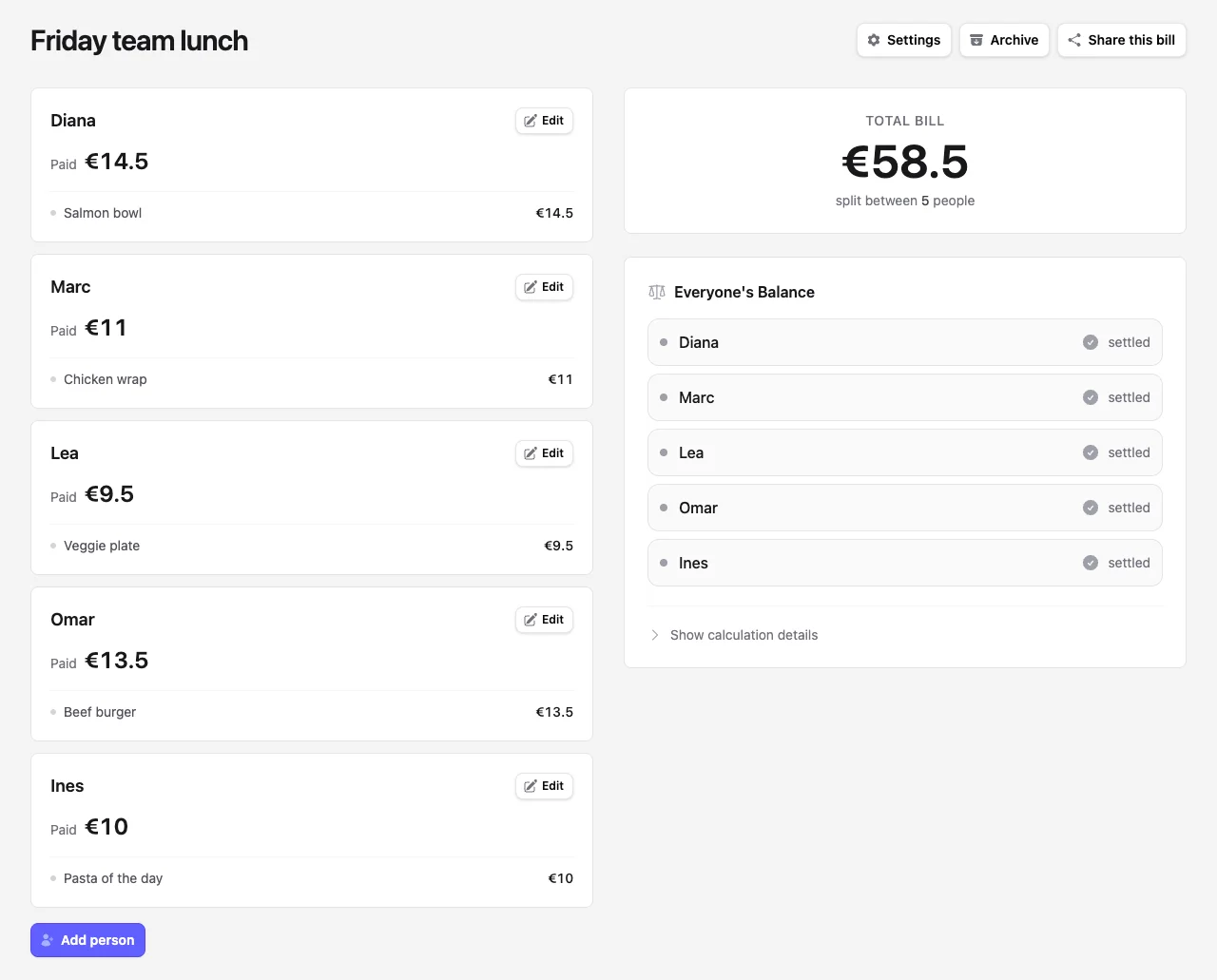
How Repartim handles it
Four quick steps.
Add the order receipt
Photograph the receipt or paste the line items.
Add colleagues
Type the names of who ordered.
Mark who had what
Use fixed amounts per person matching what they actually ordered.
Drop the link in Slack
Everyone sees what they owe. Pay back however your office settles.
Common scenarios
Cases people actually hit.
Same lunch place every week
Save the bill as a template, swap names, done in 30 seconds.
Team off-site lunch
One bill, the manager's card, everyone's individual orders accounted for.
Pizza for the whole office
Cost split equally across whoever signed up — no math required.
Mixed orders, mixed prices
A €6 wrap and a €14 platter shouldn't split equally — fixed amounts handle it.
Why it helps
What you actually get.
Settled before lunch ends
From receipt to shared link in the time it takes to walk back to the office.
Works in any chat tool
Paste the link in Slack, Teams, WhatsApp — anywhere.
Reusable for recurring orders
Same group, same place, every week — Repartim makes it routine.
FAQ
Things people ask.
Can I reuse the same setup every week?
Not automatically — but spinning up a new bill takes about thirty seconds. For a recurring lunch, archive last week's bill and open a fresh one with the same colleagues.
How do colleagues actually pay me back?
Repartim only tracks who owes what. The actual money moves via whatever your office uses — Bizum, Venmo, Wise, cash, or just the team's expense tool.
What if someone didn't order anything today?
Leave them out of the bill, or add them with no items. They won't owe anything either way.
Ready to split your next bill?
It's free, takes a few seconds, and works without signing up.